
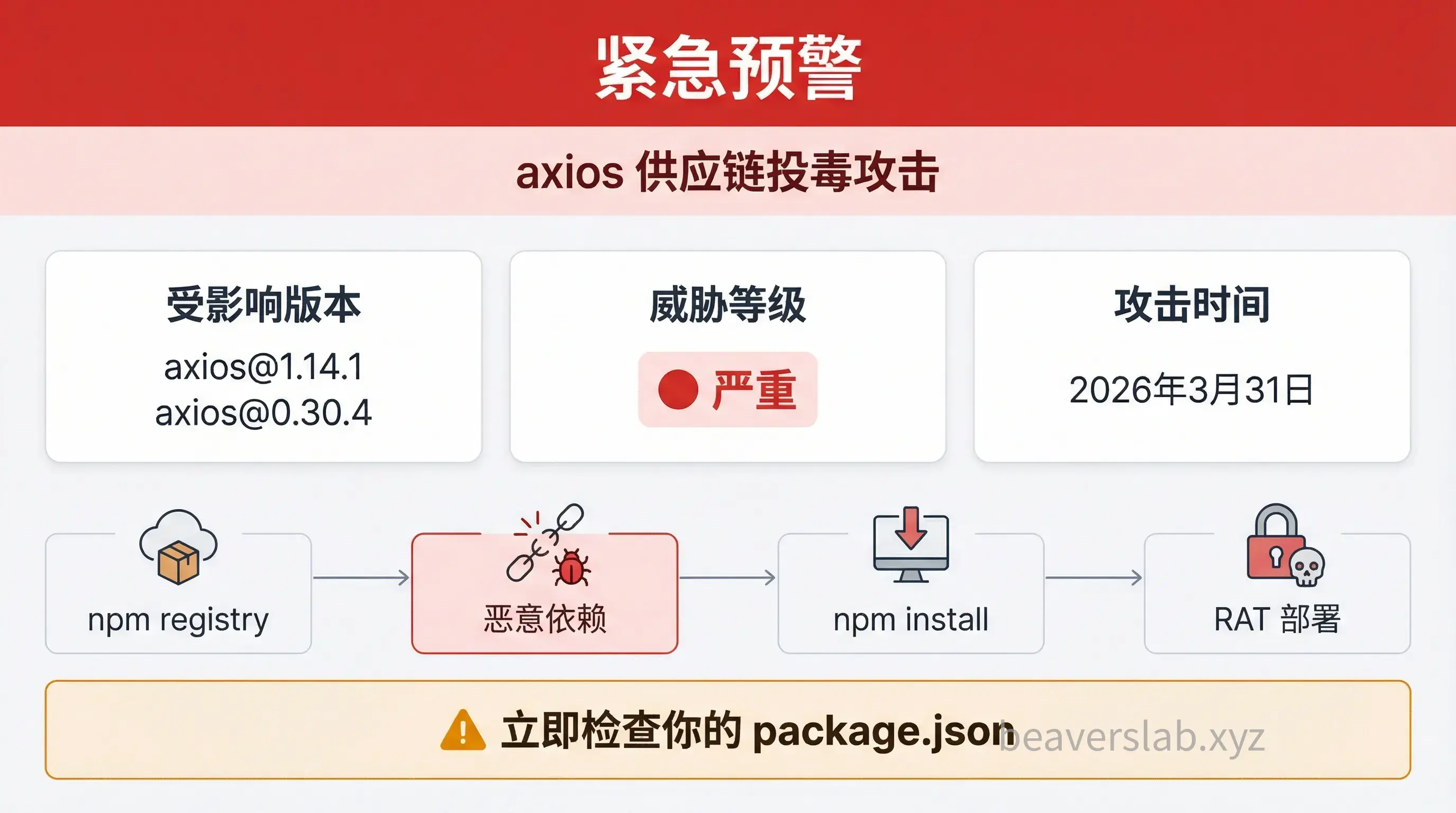
[Urgent Alert] axios Poisoned! Check Your package.json Immediately
Event Nature: npm Supply Chain Poisoning Attack Affected Versions: [email protected], [email protected] Attack Time: March 31, 2026 Threat Level: 🔴 Critical Reading Time: ~10 mins | Word Count: ~4500
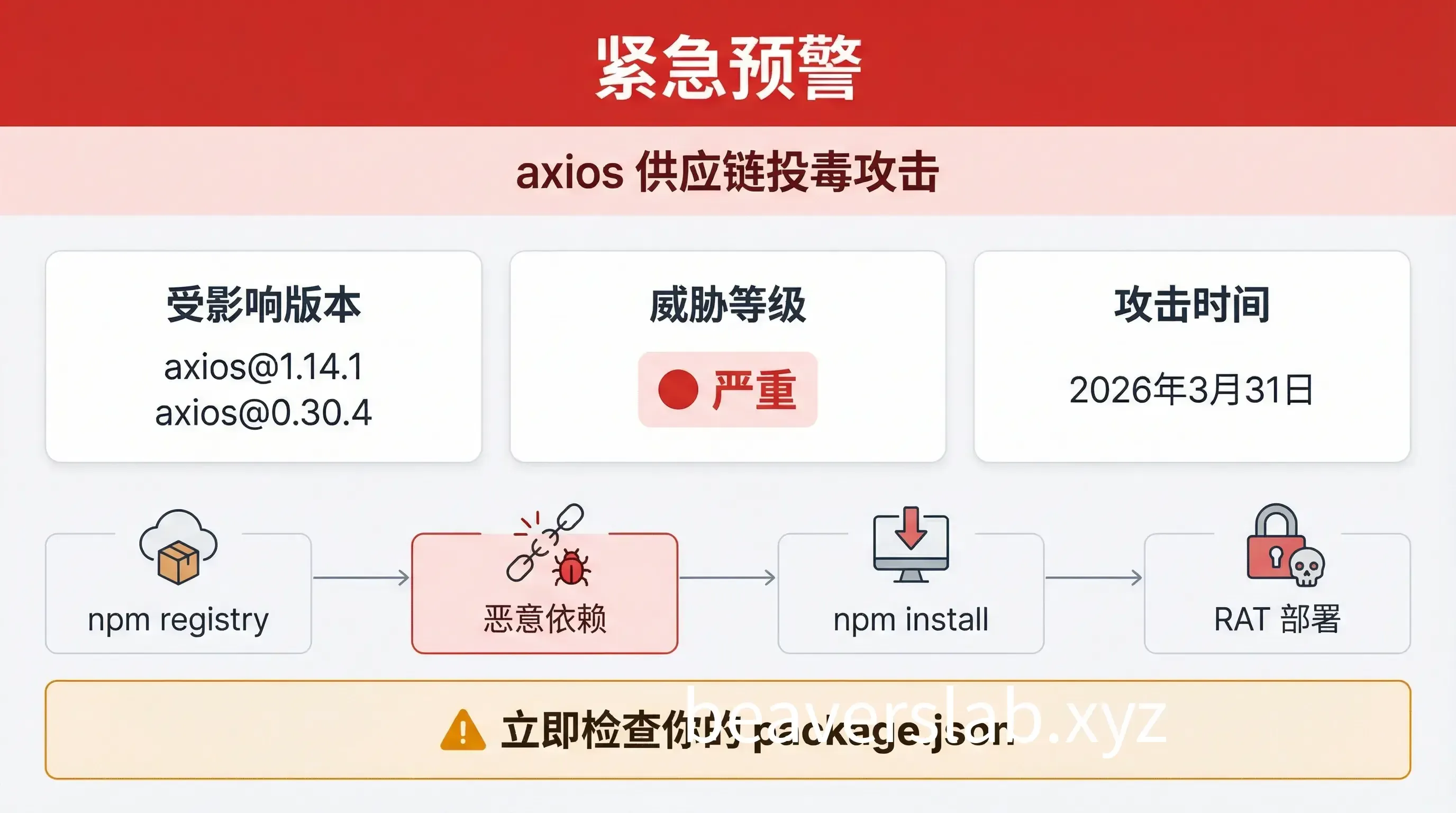
01. Urgent Self-Check & Remediation (Must Read)
Affected Versions
| Branch | Malicious Version | Safe Version |
|---|---|---|
| 1.x | 1.14.1 | 1.14.0 |
| 0.x | 0.30.4 | 0.30.3 |
One-Click Self-Check Commands
🔍 Single Project Check (Run in Project Root)
Check Dependency Version:
# Check the currently installed axios versionnpm list axios 2>/dev/null | grep -E "1\.14\.1|0\.30\.4"
# Check package-lock.jsongrep -A1 '"axios"' package-lock.json | grep -E "1\.14\.1|0\.30\.4"
# Check if the malicious dependency directory existsls node_modules/plain-crypto-js 2>/dev/null && echo "⚠️ plain-crypto-js detected, system may be infected"
🌐 Global Batch Check (Scan All Projects on Your Computer)
Run in your code root directory (e.g., ~/Projects or ~/Documents):
macOS / Linux:
# 1. Batch find malicious packages in all node_modulesfind . -name "plain-crypto-js" -type d 2>/dev/null | grep "node_modules" && echo "⚠️ Malicious dependency detected"
# 2. Batch find malicious versions in package-lock.jsongrep -rE '"axios":.*(1\.14\.1|0\.30\.4)"' . --include="package-lock.json"
Windows (PowerShell):
# 1. Batch find malicious dependency directoriesGet-ChildItem -Path . -Directory -Recurse -Filter "plain-crypto-js" -ErrorAction SilentlyContinue | Where-Object { $_.FullName -match "node_modules" }
# 2. Batch find malicious versionsGet-ChildItem -Path . -File -Recurse -Filter "package-lock.json" | Select-String -Pattern 'axios.*1\.14\.1|axios.*0\.30\.4'
🖥️ System-Level RAT Check (Critical)
| Platform | Check Command | Interpretation |
|---|---|---|
| macOS | `[ -e “/Library/Caches/com.apple.act.mond” ] && echo ”🚨 INFECTED” | |
| Linux | `[ -e “/tmp/ld.py” ] && echo ”🚨 INFECTED” | |
| Windows | Test-Path "$env:PROGRAMDATA\wt.exe" | Check %PROGRAMDATA%\wt.exe |
One-Click Detection Script:
# macOS / Linux Universal Versioncheck_rat() { if [ "$(uname)" = "Darwin" ]; then [ -e "/Library/Caches/com.apple.act.mond" ] && echo "🚨 macOS RAT file exists, system compromised!" || echo "✅ macOS Safe" else [ -e "/tmp/ld.py" ] && echo "🚨 Linux RAT file exists, system compromised!" || echo "✅ Linux Safe" fi}check_rat# Windows PowerShell Versionif (Test-Path "$env:PROGRAMDATA\wt.exe") { Write-Host "🚨 Windows RAT file exists, system compromised!" -ForegroundColor Red} else { Write-Host "✅ Windows Safe" -ForegroundColor Green}Remediation Steps
Step 1: Pin Version to Safe Range
Single Project Fix:
# 1.x Users
# 0.x UsersBatch Fix Multiple Projects (Run in code root):
# Batch pin all projects to 1.14.0find . -name "package.json" -not -path "*/node_modules/*" -execdir npm install [email protected] --save-exact --ignore-scripts \;💡 Parameter Explanation:
--save-exact: Pins the exact version (1.14.0instead of^1.14.0)--ignore-scripts: Prevents thepostinstallhook from triggering again
Add manual overrides in package.json to enforce the version (covering indirect dependencies):
{ "dependencies": { "axios": "1.14.0" }, "overrides": { "axios": "1.14.0" }, "resolutions": { "axios": "1.14.0" }}Step 2: Remove node_modules and Reinstall
rm -rf node_modules package-lock.jsonnpm install --ignore-scripts⚠️
--ignore-scriptsis crucial to prevent the malicious hook from running during reinstall.
Step 3: Scan for System Residual Files
| Platform | Path to Check | Action |
|---|---|---|
| macOS | /Library/Caches/com.apple.act.mond | If exists → System compromised, rebuild required |
| Windows | %PROGRAMDATA%\wt.exe | If exists → System compromised, rebuild required |
| Linux | /tmp/ld.py | If exists → System compromised, rebuild required |
🚨 If RAT Files Are Found:
- DO NOT attempt local cleanup — The RAT may have established persistence or moved laterally.
- Rebuild the machine from a trusted image.
- Rotate all credentials: npm tokens, GitHub tokens, AWS keys, cloud credentials, CI/CD secrets,
.envfiles.
02. Impact Scope
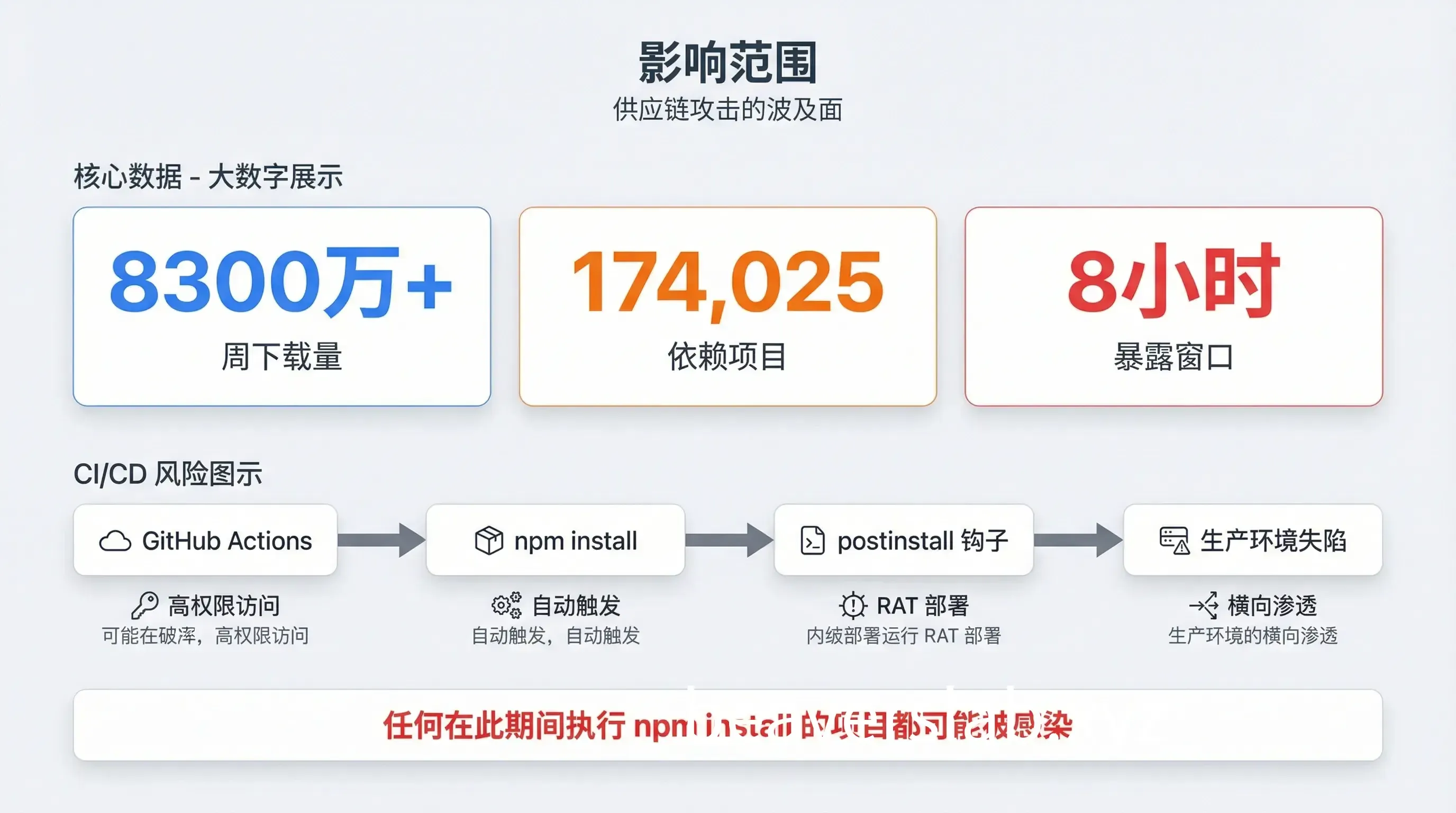
Risks of 100M+ Weekly Downloads
axios is one of the most popular HTTP clients in the JavaScript ecosystem:
| Metric | Data |
|---|---|
| Weekly Downloads | 83M+ |
| Dependent Projects | 174,025 |
| Coverage | Frontend frameworks, backend services, enterprise apps, mobile |
Exposure Window: 2026-03-31 00:21 UTC ~ 08:00 UTC (approx. 8 hours)
Any project that ran npm install axios or npm update during this window may be infected.
Why CI/CD Pipelines are the Hardest Hit
This attack is particularly devastating for CI/CD environments:
- Automatic Trigger — Pipelines run
npm installon every build, automatically executing thepostinstallhook. - High-Privilege Access — CI runners often have production deployment permissions and access to sensitive secrets.
- Difficult Traceability — Evidence is lost once temporary build environments are destroyed.
- Lateral Movement — Infected CI systems may deploy malicious code to all downstream environments.
Check your CI/CD:
# Audit GitHub Actions logs for the malicious version
# Consider any runner active during this window as compromised.03. Attack Technique Deep Dive
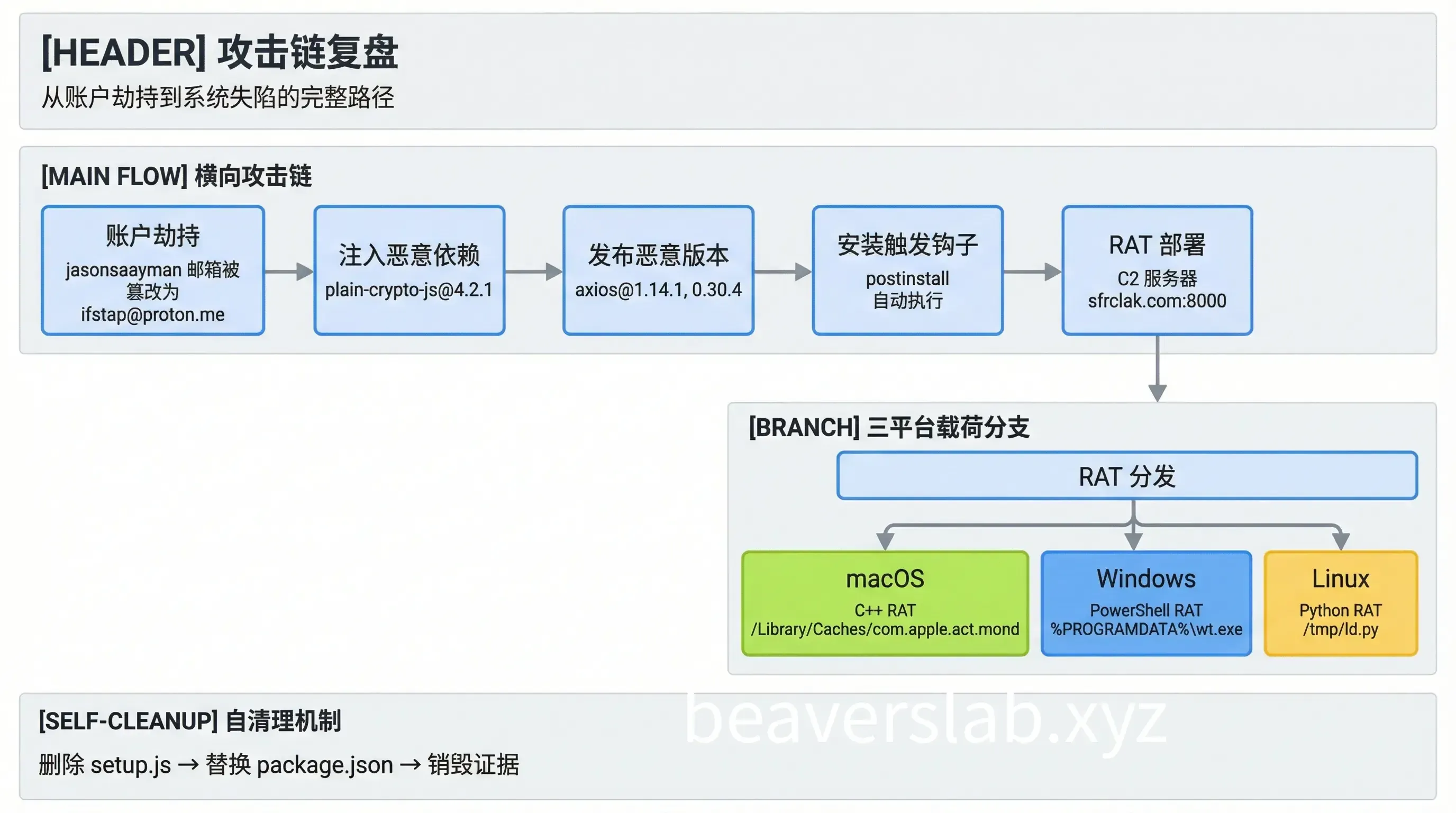
Hijacking Maintainer Account: The Origin
The attacker targeted the npm account of jasonsaayman, a primary axios maintainer:
- Account Tampering — Changed the registered email to an attacker-controlled ProtonMail:
[email protected]. - Token Acquisition — Used a long-lived Classic npm access token.
- Bypassing CI/CD — Published directly via the npm CLI, skipping the GitHub Actions OIDC trusted publishing mechanism.
Key Evidence: There are no 1.14.1/0.30.4 records on the GitHub Releases page, indicating this was not published through the normal CI process.
Malicious Dependency plain-crypto-js: The Hidden Trojan Downloader
The attacker orchestrated a Phantom Dependency attack:
Clean [email protected] dependencies:├── follow-redirects├── form-data└── proxy-from-env
Malicious [email protected] dependencies:├── follow-redirects├── form-data├── proxy-from-env└── plain-crypto-js@^4.2.1  ← The only new addition
Key Point: A search of all 86 source files in axios reveals zero references to plain-crypto-js. Its sole purpose is to trigger the postinstall hook.
Obfuscation in the setup.js Dropper:
- Two-layer obfuscation: XOR + Base64.
- Sensitive strings decoded at runtime.
- Decryption key:
"OrDeR_7077".
The decoded core strings include the C2 address http://sfrclak.com:8000/ and multi-platform payloads.
Self-Cleaning Mechanism: Why You Can’t Find It?
This is the most cunning part of the attack — self-destruction after execution:
After setup.js runs:1. fs.unlink(__filename) → Deletes itself2. fs.unlink("package.json") → Deletes the manifest containing postinstall3. fs.rename("package.md", "package.json") → Replaces it with a clean stubThe attacker pre-packaged a clean package.md (version 4.2.0, no postinstall hook) and renamed it to package.json after the malicious code ran.
Result: During post-incident inspection, package.json looks perfectly normal with no suspicious scripts.
Detection Hint: Even if package.json is restored, the presence of the node_modules/plain-crypto-js/ directory confirms the infection.
04. Defense Recommendations
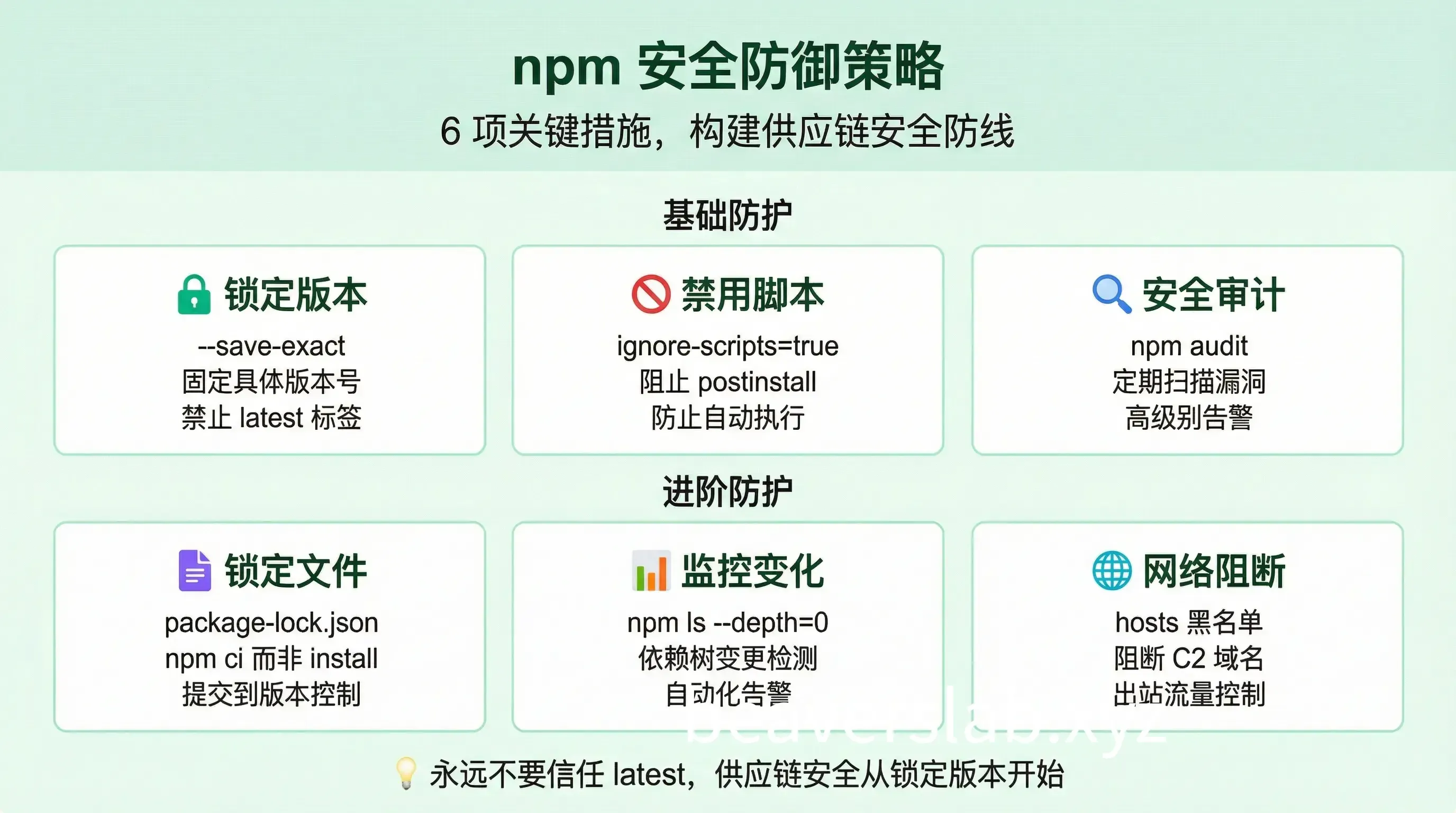
Stop Trusting latest
This attack is another wake-up call: Never use the latest tag in production.
// ❌ Dangerous{  "dependencies": {    "axios": "latest"  }}
// ✅ Recommended{  "dependencies": {    "axios": "1.14.0"  }}
How to Configure npm Security Policies
1. Lock Dependency Versions
# Use exact versions
# Or configure in .npmrcsave-exact=true2. Disable Lifecycle Scripts
ignore-scripts=true
# Or specify during installnpm install --ignore-scripts
3. Enable Security Audits
# Add to CInpm audit --audit-level=high
# Auto-fix with npm audit fixnpm audit fix
4. Use Lockfiles
# Always commit package-lock.json# Use npm ci instead of npm install in CInpm ci --ignore-scripts5. Monitor Dependency Changes
# Check dependency tree changesnpm ls --depth=0
# Use tools for monitoringnpx npm-check-updates
6. Network-Level Blocking
# Block known C2 domainsecho "0.0.0.0 sfrclak.com" | sudo tee -a /etc/hostsSummary
| Key Point | Action Item |
|---|---|
| 🔴 Check Now | Run self-check commands, confirm axios version |
| 🟠 If Infected | Downgrade version + Remove node_modules + Rotate credentials |
| 🟢 Long-term Fix | Lock versions + Disable scripts + Enable auditing |
Remember: Supply chain attacks don’t need vulnerabilities in your code; they only need your trusted dependencies to be compromised. Today it’s axios; tomorrow it could be another package.
Published at: Apr 2, 2026 · Modified at: Apr 2, 2026